
NHTSA ID Number: 11027535
Manufacturer Communication Number: KA-01634
TSB/Document Date: 2026-01-09
Summary
McLaren Artura Oil Leak Diagnosis Guide - Rear of Engine
If the PDF is very large, it may not load in the preview below.
Some older TSBs had multiple PDFs — visit the NHTSA Website to view all PDFs.
If the TSB PDF does not show, download or view it on the NHTSA Website.
Click on the (+) Plus Sign
Then Click on Associated Document(s)
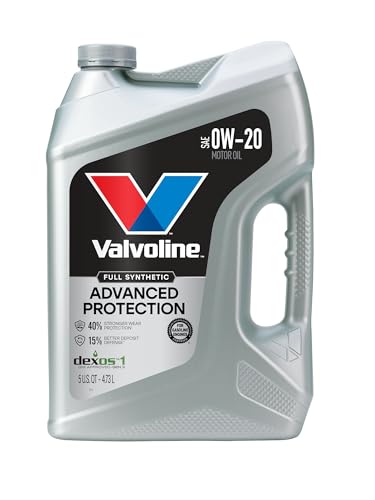
- Advanced protection against the four main causes of engine...
- Delivers 40% stronger wear protection than industry...
- Provides 15% better deposit defense vs. industry standards...
- Up to 2.5X better heat protection vs. industry standards to...
- Engineered for excellent low-temperature flow, reducing...
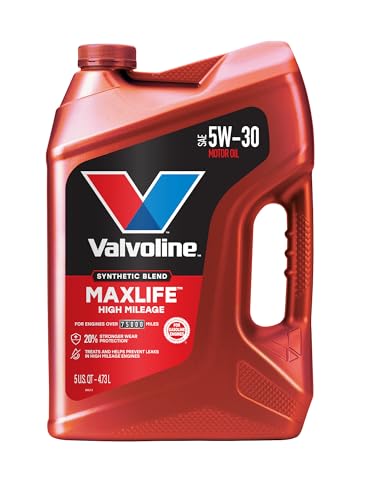
- Formulated for engines with 75,000 miles or more, Valvoline...
- Delivers 20% better wear protection and 15% better sludge...
- Extra detergents safeguard against friction, corrosion and...
- Advanced friction-fighting additives help maximize...
- Provides performance benefits for high mileage, new and...
Search NHTSA Database for Recalls
Search NHTSA Database for Vehicle Investigations
View Latest Vehicle Investigations
Search NHTSA Database for Vehicle Complaints
View Latest Vehicle Complaints
TSB/Document ID: KA-01634
Replacement Service Bulletin Number:
MFR Communication Date: 2025-12-05
MFR Internal Campaign ID/Software Version:
Communication Type: Other
NHTSA Components: POWER TRAIN
MFR Component System:
MFR Component Subsystem:
Previous TSB | Next TSB |
This document is uncontrolled when printed. Before use, check the Knowledge Base within the McLaren
Retailer Portal to verify that this is the current version.
Document Information
Location: Powertrain
Topic: McLaren Artura Oil Leak Diagnosis Guide - Rear of Engine
Condition: Permanent
Diagnostic Trouble Codes: N/A
Measure
If an Artura is found to have oil traces on the underside of the powertrain at the rear, specifically the rear
interface between the engine, transmission and e – motor, please follow the steps below
1. Raise vehicle on ramp as per MSP instructions
2. Remove engine underfloor
3. Capture images prior to any cleaning (before and after removing transmission NVH cover), clearly showing
the leaking area. Label images: “Pre-Cleaning”
Care Point: Include images of both sides of the transmission NVH cover before cleaning
4. Take picture of engine number and label image “Engine Number”
5. Clean area thoroughly using degreaser/solvent
6. Add engine oil dye to the engine - Please refer to latest update of KA-01458
(https://retailerportal.mclaren.com/en-US/kbarticlellist/article/KA-01458) for correct dye and torch to use
Care Point: Do Not use leak detector spray / chalk spray
7. Start engine and run at increased idle speed (3,000 rpm) using engine oil check procedure until procedure is
complete (this will ensure that the engine oil temperature reaches 90°C)
8. Turn off engine and allow vehicle to stand for 20 minutes on the ramp in preparation for inspection
9. Inspect engine. Capture images and label images "Cycle 1", clean area again thoroughly, capture images
and label images "Post Cycle 1"
Care Point: If there is a clear and active leak after step 9, please stop the warm up cycles and submit a TR
with supporting images/video
10. Complete warm up/cool down cycle and inspection a further 4 times capturing images. Name image
foldersrespectively:
"Cycle 2" & "Post Cycle 2 (after cleaning)"
"Cycle 3" & "Post Cycle 3 (after cleaning)"
"Cycle 4" & "Post Cycle 4 (after cleaning)"
"Cycle 5" & "Post Cycle 5 (after cleaning)"
Care Point: In case of uncertainty on final assessment, please update TR with supporting images
correctly labelled
Care Point: If no further oil leak is observed, then the initial oil residue is potentially due to excessive oil
used in the build process
11. If there is obvious evidence of an oil leak from the rear of the engine after the 5 cycles please submit
aTechnical Request with clear pictures showing the leak. If no leak is present, carry out a road test (including
EV mode) and recheck for leaks. Capture images and label "Post Road Test" (before cleaning)
Care Point: If no further oil leak is observed, then the initial oil residue found previously is due to
excessive oil used in the build process - No further action required
12. Identify the location of the leak using a UV light Engine side = Engine oil identified by UV light
Transmission side = Transmission oil
E motor = Dielectric oil - this is different to engine oil and transmission oil, please take pictures and
label "Dielectric Oil"
13. If a leak is identified, please submit a TR for further instruction to remove the transmissionTransmission
Removed:
Complete a visual inspection of the area with the transmission removed identify the leak location
Capture images Label as “Transmission removed”
If engine oil leak is identified from the rear of the engine, drain the engine oil fully, follow
MSP instructions for oil drain procedure
Care Point - If a transmission leak is identified, please submit/update TR with images labeled as
"Transmission Leak"
Flywheel Removed:
Care Point: Carefully remove the flywheel to preserve the oil on any components, this will help with
identification. Do not clean any parts at this stage
Remove and inspect each flywheel bolt for signs of oil one at a time, starting from 12 O’clock position
labeling the bolts in the order of removal (clockwise) and lay down each bolt on a piece of white A4
paper with the bolt head down (threads pointing up). If oil present on bolts, capture images of the oily
bolts and their respective bolt holes on the crankshaft flange – label as “Oil Presence on Flywheel Bolt
and Crankshaft Flange threaded hole”
Capture images immediately of the flywheel, label as “Flywheel Inspection” and inspect. If oil is
centralized around the flywheel on the surface this indicates the flywheel bolts are potentially the cause
of the leak and new flywheel bolts with added Loctite 243 to the top threads will rectify this
Final inspection:
Care Point: Do not clean engine behind flywheel, capture images of leaking areas and label as “Rear
cover of engine”
Identify leaking area of the rear of the engine
a. Flywheel threaded bolt holes (crankshaft flange)
b. Rear crank seal OD
c. Rear crank seal ID
d. Rear cover (RTV Seal - identify exact location)
e. M14 Pins – Tensioner (escalate with images)
If the leak cannot be
obviously diagnosed follow pressure test procedure
(https://mclarenps.blob.core.windows.net/images/Knowledge%20Base%20Articles/KA01626/P16%20Engine%20Leak%20Test%20Procedure.pdf?sv=2021-10-04&st=2023-06-07T15%3A01%3A07Z&se=205001-08T16%3A01%3A00Z&sr=b&sp=r&sig=baFw70qOp362MMyYZVzNlDC2dZ3QfX09OovDxvPMGDE%3D)
Care Point: Inner diameter of rear crank seal will exhibit a leak. This seal is a dynamic seal, the object of
the leak test is to determine if another area at the rear of the engine is leaking also. If another area is
found to be leaking this will likely be the root cause of the failure and this issue should be addressed
Repair:
If it is determined that the outer diameter of the crank seal or the RTV joint of the rear cover is leaking
then replacement of the whole rear cover assembly with pre-fit rear seal is required
Care Point: Seal not to be pressed in on the engine
Check if the rear cover has a tab that clashes with the cylinder block part marking
If the Part Marking on the Cylinder Block is present and not machined down, check if the top surface of the
lettering is protruding the rear cover sealing surface on the cylinder block
If the Part Marking protrudes, proceed with the tab removal to resolve the potential hard clash of the rear cover
which would create a leak path
Use alignment pins referenced in MSP
used for fitment of the rear cover to remove the rear cover to avoid further damage to the rear seal
assembly. Do not remove rear crank seal from the rear cover to avoid any damage to the seal
Follow MSP instructions for correct cleaning, alignment and RTV application when fitting the new rear
cover assembly,
During replacement of the rear cover, it is essential the crankshaft rear seal expander cone PN
16FC663CP and the guide pins are used during this process to slide the seal onto the crank shaft when
fitting the new rear cover assembly
All other alignment, cleaning, and RTV processes in the MSP repair instructions are correct and should
be adhered to when fitting the cover
Flywheel Bolts:
When fitting the Flywheel, clean the bolt hole threads (crankshaft flange) from residual thread locker (from the
original bolt fitment) without pushing any debris into the engine (through holes)
Clean with standard automotive degreaser/solvent ensuring a thorough clean of the leak area
Capture Images: label “Clean Crankshaft-Flywheel Interface pre final assembly” Apply Loctite
243 radially to the first 4-6 threads as follows:
Follow MSP instructions to install the Flywheel using the bolts applied with Loctite 243
Care Point: Once the Flywheel is installed, allow the Loctite 243 activated by the mechanical interaction
of the threads to cure for min. 6 hours before filling the engine with oil
This step will prevent the oil from reaching the thread locker and interfering with the curing process and
potentially impacting the sealing performance of the thread locker
Once the min 6 hours (required for the thread locker curing process) have passed, follow the MSP
procedure to fill the system with oil and rebuild the Powertrain up to the point where you can start the
engine
Repair Validation:
With the floor panel removed, follow Steps 1 to 9 to validate that no leak is present anymore
Once this test has been successfully completed (no oil leaks), rebuild the vehicle as per MSP instructions After
performing the engine health checks, HYCU adaption and a road test, return the vehicle on the ramp and
inspect for any leakages
Remove the engine underfloor to check and confirm that the repaired area has remained dry
Parts Information
N/A
Attachments
N/A
This document is uncontrolled when printed. Before use, check the Knowledge Base within the McLaren
Retailer Portal to verify that this is the current version.

- CEL Doctor: The ANCEL AD310 is one of the best-selling OBD II scanners on the market and is recommended by Scotty Kilmer, a YouTuber and auto mechanic. It can easily determine the cause of the check engine light coming on. After repairing the vehicle's problems, it can quickly read and clear diagnostic trouble codes of emission system, read live data & hard memory data, view freeze frame, I/M monitor readiness and collect vehicle information.
- Sturdy and Compact: Equipped with a 2.5 foot cable made of very thick, flexible insulation. It is important to have a sturdy scanner as it can easily fall to the ground when working in a car. The AD310 OBD2 scanner is a well-constructed mechanic tool with a sleek design. It weighs 12 ounces and measures 8.9 x 6.9 x 1.4 inches. Thanks to its compact design and light weight, transporting the device is not a problem. The buttons are clearly labelled and the screen is large and displays results clearly.
- Accurate Fast and Easy to Use: The AD310 scanner can help you or your mechanic understand if your car is in good condition, provides exceptionally accurate and fast results, reads and clears engine trouble emission codes in seconds after you fixed the problem. This device will let you know immediately and fix the problem right away without any car knowledge. No need for batteries or a charger, get power directly from the OBDII Data Link Connector in your vehicle.
- OBDII Protocols and Car Compatibility: Many cheap scan tools do not really support all OBD2 protocols. AD310 scanner as it can support all OBDII protocols such as KWP2000, J1850 VPW, ISO9141, J1850 PWM and CAN. This device also has extensive vehicle compatibility with 1996 US-based, 2000 EU-based and Asian cars, light trucks, SUVs, as well as newer OBD2 and CAN vehicles both domestic and foreign. Pls confirm with our customer service whether it is compatible with your vehicle before purchasing.
- Home Necessity and Worthy to Own: This is an excellent code reader to travel or home with as it weighs less and it is compact in design. You can easily slide it in your backpack as you head to the garage, or put it on the dashboard, this will be a great fit for you. The AD310 is not only portable, but also accurate and fast in performance. Moreover, it covers various car brands and is suitable for people who just need a code reader to check their car.

- Multi-Functions - Practical Multi-Functions OBD2 code reader features built-in OBD2 DTC lookup library, which help you to determine the cause of the engine light, read code, erase code, view freeze frame, I/M ready, vehicle information, data flow, real-time curve, get vehicle speed information, calculate load value, engine coolant temperature, get engine speed.
- Wide Capability - Supports 9 protocols compatible with most 1996 US-Based, 2000 EU-Based and Asian cars, and newer OBD II & CAN domestic or import vehicles. Supports 6 languages - English,German, Dutch, Spanish, French, Italian.
- 2.8" LCD Display - Designed with a clear display 2.8" Large LCD screen - white backlight and contrast adjustment. No need any battery or charger, OBD reader gets the power directly from your vehicle through the OBDII Data Link Connector.
- Compact Design - Car diagnostic scanner is equipped with a 2.5 feet long cable and made of a very thick flexible insulator.There are 6 buttons on OBD2 Scanner:scroll up/down,enter/exit and buttons that quick query VIN vehicle number& the DTC fault code.
- ABS / Airbag codes NOT Supported - It is able to read and clear check engine information which is part of OBDII system, but it cannot work with non-OBDII systems, including ABS / Airbag / Oil Service Light, etc.

- 【Your Personal CEL Doctor – Read & Clear Engine Codes】The NT301 OBD2 scanner lets you read diagnostic trouble codes (DTCs), check em-issions readiness, turn off your Check Engine Light (CEL) or MIL, reset monitors, and view live data streams. It retrieves your vehicle's VIN instantly. Like all standard OBD2 scanners, it clears codes only after repairs are completed—if the issue persists, the code will return. Designed for DIYers who want to understand what’s really going on under the hood.
- 【Easy Code Reading – Just Plug & Play】Simply plug into the OBD2 port, turn the ignition to “ON” (engine off), and select the correct menu: Select OBDII-> Wait for seconds-> Select Read codes. For accurate results, ensure your vehicle is compatible and the OBD2 port is free from damage or wiring issues. No batteries needed— powered directly by your car.
- 【Live Data Graphing & Accuracy for Most OBD2 Vehicles】View and log live sensor data in graph form—monitor oxygen sensors, fuel trims, coolant temp, RPM, and more. Spot trends and suspicious values in real time. Compatible with most 1996+ gasoline cars, light trucks, and SUVs sold in the U.S., as well as many 2000+ European and Asian models. Also works on 12V diesel vehicles equipped with OBD2.
- 【S-mog Check Helper – Know Your Readiness Status at a Glance】With dedicated I/M readiness hotkeys and a simple Red-Yellow-Green LED indicator, you’ll instantly know if your vehicle is ready for em-issions testing. Built-in speaker provides audio feedback. No guesswork—just confidence before you head to the test center.
- 【A Must-Have Tool for Every Home Mechanic】Compact, rugged, and ready to use right out of the box. The 2.8” color screen is easy to read, even in daylight. No charging or setup required—just plug into the 16-pin DLC and start diagnosing. Recommended by professional mechanics on YouTube and trusted by DIYers worldwide.
Last update on 2026-03-26 / Affiliate links / Images from Amazon Product Advertising API
This product presentation was made with AAWP plugin.