
NHTSA ID Number: 11028701
Manufacturer Communication Number: PIC6602R
TSB/Document Date: 2026-02-11
Summary
This Preliminary information communicates to dealers steps to follow to obtain an IOK radio.
If the PDF is very large, it may not load in the preview below.
Some older TSBs had multiple PDFs — visit the NHTSA Website to view all PDFs.
If the TSB PDF does not show, download or view it on the NHTSA Website.
Click on the (+) Plus Sign
Then Click on Associated Document(s)

- 【Bluetooth Connect】Hands-free Bluetooth car audio, easy...
- 【FM Radio】High-quality digital stereo FM radio, can...
- 【USB Car Radio】Car audio can be connected to your...
- 【Other Functions】Support MP3, WMA, APE, FLAC, WAV...
- 【Our Service】Note: Our car radio only supports 12V car...
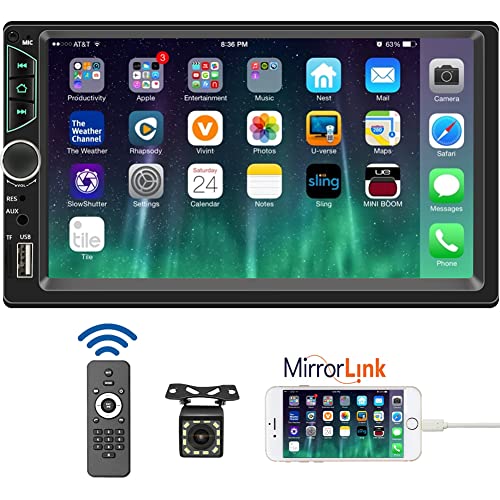
- 【High Quality Car Stereo Player】- Our double din car...
- 【Double Din Car Stereo Phone Mirror Link】- Support...
- 【7 inch Double Din Car Radio With Bluetooth 5.0 and FM...
- 【Car Stereo Double Din Inputs】- USB /SD/AUX input. car...
- 【Standard Double Din Stereo with Backup Camera】- Parking...
Search NHTSA Database for Recalls
Search NHTSA Database for Vehicle Investigations
View Latest Vehicle Investigations
Search NHTSA Database for Vehicle Complaints
View Latest Vehicle Complaints
TSB/Document ID: PIC6602R
Replacement Service Bulletin Number:
MFR Communication Date: 2026-02-07
MFR Internal Campaign ID/Software Version:
Communication Type: Service Bulletin/Repair Instructions
NHTSA Components: UNKNOWN OR OTHER
MFR Component System:
MFR Component Subsystem:
Previous TSB | Next TSB |
Bulletin No.: PIC6602R
Service Bulletin
Date: February, 2026
PRELIMINARY INFORMATION
Subject:
Brand:
IOK Radio Issues
Model:
Model Year:
from
VIN:
to
from
Transmission:
to
BrightDrop
Zevo 600
2023
All
All
All
All
Corvette
2024-2025
All
All
All
All
Silverado
1500
2022-2026
All
All
All
All
Silverado
2500
2024-2026
All
All
All
All
Silverado
3500
2024-2026
All
All
All
All
Suburban
2022-2024
All
All
All
All
Tahoe
2022-2024
All
All
All
All
Sierra 1500
2022-2026
All
All
All
All
Sierra 2500
2024-2026
All
All
All
All
Sierra 3500
2024-2026
All
All
All
All
Yukon
2022-2024
All
All
All
All
Yukon XL
2022-2024
All
All
All
All
Hummer
2022-2025
All
All
All
All
Involved Region or Country
North America
Additional Options (RPO)
IOK
Condition
Customers may comment of:
- No audio concerns.
- Blank, Black, Freezing/Frozen, or Glitching Display screen.
- "Return to Dealer" or "Demo Mode" message on the display.
- Phone connectivity concerns
Cause
Concerns may be software, connection, or hardware.
Correction
Note: : If the VIN you need a radio for is part of N252504460- Customer Satisfaction Program - Radio Replacement
and Reprogramming this PI is not applicable, please call/order as per step 1.8 below and state that the part is
required for a VIN applicable to N252504460- Customer Satisfaction Program - Radio Replacement and Reprogramming
1. For a blank or black screen that cannot be viewed refer to PIC6540 and perform a reset on the radio to see if
display returns, continue with steps below. If display does not return, follow normal SI diagnostics.
Note: This step does not apply to screens that go blank and recover, if the vehicle comes in with this concern
proceed to step 1.2 and update the vehicle to the latest software
Copyright 2026 General Motors. All Rights Reserved.
Page 2
February, 2026
Bulletin No.: PIC6602R
1.1 For a return to dealer or Demo Mode message displayed on the radio screen see PIT6209, if the display shows
Device is Starting and is stuck on that screen, please refer to PIC6630.
1.2 Check current software and verify the radio software is up to date per:
• 25-NA-318 for 2022-2026 LD Trucks, 2024-2026 HD trucks and 2023-2024 SUVs
• 25-NA-121 for 2022 SUVs
• 24-NA-168 for Hummer 2022-2024
• 25-NA-098 for Corvette and MY2025 Hummer
If the radio is not at latest software level update the radio, clear all codes and recheck for concern.
1.3 If the customer came in with a phone connectivity concern, please make sure that the customers phone is
updated to the latest iOS or Android software before proceeding further.
1.4. For audio concerns including intermittent 1-2 second loss of audio or loss of audio for an entire ignition cycle
see PIT6406
1.5. If concerns continue perform a radio data wipe by going to SPS, select A11 radio, then select *ONLY USE if
following PIT6209 instruction* Radio Data Wipe File and follow the on screen instructions.
Note: For the purposes of this PI please ignore *ONLY USE if following PIT6209 instruction* and perform the data
wipe
Note: Once this operation is performed, the customer will need to log back into their google account, and repair any
mobile devices that were saved on the radio
1.6 If concerns continue disconnect, inspect, and reconnect all related connections, clear any codes and recheck for
concern.
1.7 After the Date wipe has been performed, if concerns are still present for the symptoms below DO NOT
REPLACE THE RADIO:
• A complete loss of audio over an Ignition cycle or short cuts in audio mentioned in PIT6406.
• The Radio display is going blank or black, but always recovers.
• Phone connectivity issues.
DO NOT REPLACE THE RADIO for these issues as it will not correct the customer's concern. Engineering is aware
of the issue and investigating the root cause we ask to please be patient until a resolution is published.
1.8 If concern is still present and is not a software anomaly mentioned in step 1.7, these radios are currently
restricted through the Electronic Service Center (ESC). Please contact your preferred ESC to order the new radio.
The ESC will require a response to the attestation question before authorization will be provided. Attestation
question: Have you followed, reset the module, installed the latest software, disconnect and reconnect, and that the
radio still requires a replacement?
Bulletin No.: PIC6602R
February, 2026
Page 3
Warranty Information
For vehicles repaired under the Bumper-to-Bumper coverage (Canada Base Warranty coverage), use the following
labor operation. Reference the Applicable Warranties section of Investigate Vehicle History (IVH) for coverage information.
Labor
Operation
Description
Labor Time
2810335
Update radio to latest
software
Use
Published
Labor Time
*3480578
Disconnect and reconnect
Radio module
1.0 Hrs.
*3480688
Radio Replacement per
TAC Instructions
MY22-25
Hummer SUV
and Pickup
1.1 Hrs.
MY22.5-25
Silverado and
Sierra 1500
1.2 Hrs.
MY24-25
2500/3500HD
1 Hr.
MY24-25
Corvette 1.3
Hrs
MY22-24
Tahoe/
Suburban/
Yukon/Yukon
XL 1.1 Hrs.
*This is a unique Labor Operation for Bulletin use only.
Version
17
Modified
04/30/2025 Created on.
05/01/2025 - Updated Correction.
05/13/2025 - Updated Correction.
05/29/2025 - Updated Models.
06/19/2025 - Update to the Correction.
06/30/2025 - Update to correction
07/23/2025 - Updated correction to ESC restriction
07/30/2025 - Update to correction
08/14/2025 - Updated to correction to ESC restriction
10/03/2025 - Updated to change labor operation for programming per BQM request
10/08/2025 - Updated to add note to not replace radio for audio issues
10/17/2025 - Updated to add 25-NA-318 for 2022-2023 LD Trucks and 2024 HD trucks
10/23/2025 - Updated to add 25-NA-318 for 24 LD Trucks and 2024 SUVs
11/11/2025 - Update to the correction
11/18/2025 - Update to the correction
12/02/2025 - Update to the correction
02/06/2026 - Update to the correction section removed 25-NA-121 and add all vehicles to
25-NA-318
GM bulletins are intended for use by professional technicians, NOT a "do-it-yourselfer". They are written to inform these
technicians of conditions that may occur on some vehicles, or to provide information that could assist in the proper
service of a vehicle. Properly trained technicians have the equipment, tools, safety instructions, and know-how to do a job
properly and safely. If a condition is described, DO NOT assume that the bulletin applies to your vehicle, or that your
vehicle will have that condition. See your GM dealer for information on whether your vehicle may benefit from the
information.
WE SUPPORT VOLUNTARY
TECHNICIAN
CERTIFICATION

- CEL Doctor: The ANCEL AD310 is one of the best-selling OBD II scanners on the market and is recommended by Scotty Kilmer, a YouTuber and auto mechanic. It can easily determine the cause of the check engine light coming on. After repairing the vehicle's problems, it can quickly read and clear diagnostic trouble codes of emission system, read live data & hard memory data, view freeze frame, I/M monitor readiness and collect vehicle information.
- Sturdy and Compact: Equipped with a 2.5 foot cable made of very thick, flexible insulation. It is important to have a sturdy scanner as it can easily fall to the ground when working in a car. The AD310 OBD2 scanner is a well-constructed mechanic tool with a sleek design. It weighs 12 ounces and measures 8.9 x 6.9 x 1.4 inches. Thanks to its compact design and light weight, transporting the device is not a problem. The buttons are clearly labelled and the screen is large and displays results clearly.
- Accurate Fast and Easy to Use: The AD310 scanner can help you or your mechanic understand if your car is in good condition, provides exceptionally accurate and fast results, reads and clears engine trouble emission codes in seconds after you fixed the problem. This device will let you know immediately and fix the problem right away without any car knowledge. No need for batteries or a charger, get power directly from the OBDII Data Link Connector in your vehicle.
- OBDII Protocols and Car Compatibility: Many cheap scan tools do not really support all OBD2 protocols. AD310 scanner as it can support all OBDII protocols such as KWP2000, J1850 VPW, ISO9141, J1850 PWM and CAN. This device also has extensive vehicle compatibility with 1996 US-based, 2000 EU-based and Asian cars, light trucks, SUVs, as well as newer OBD2 and CAN vehicles both domestic and foreign. Pls confirm with our customer service whether it is compatible with your vehicle before purchasing.
- Home Necessity and Worthy to Own: This is an excellent code reader to travel or home with as it weighs less and it is compact in design. You can easily slide it in your backpack as you head to the garage, or put it on the dashboard, this will be a great fit for you. The AD310 is not only portable, but also accurate and fast in performance. Moreover, it covers various car brands and is suitable for people who just need a code reader to check their car.

- Multi-Functions - Practical Multi-Functions OBD2 code reader features built-in OBD2 DTC lookup library, which help you to determine the cause of the engine light, read code, erase code, view freeze frame, I/M ready, vehicle information, data flow, real-time curve, get vehicle speed information, calculate load value, engine coolant temperature, get engine speed.
- Wide Capability - Supports 9 protocols compatible with most 1996 US-Based, 2000 EU-Based and Asian cars, and newer OBD II & CAN domestic or import vehicles. Supports 6 languages - English,German, Dutch, Spanish, French, Italian.
- 2.8" LCD Display - Designed with a clear display 2.8" Large LCD screen - white backlight and contrast adjustment. No need any battery or charger, OBD reader gets the power directly from your vehicle through the OBDII Data Link Connector.
- Compact Design - Car diagnostic scanner is equipped with a 2.5 feet long cable and made of a very thick flexible insulator.There are 6 buttons on OBD2 Scanner:scroll up/down,enter/exit and buttons that quick query VIN vehicle number& the DTC fault code.
- ABS / Airbag codes NOT Supported - It is able to read and clear check engine information which is part of OBDII system, but it cannot work with non-OBDII systems, including ABS / Airbag / Oil Service Light, etc.

- 【Your Personal CEL Doctor – Read & Clear Engine Codes】The NT301 OBD2 scanner lets you read diagnostic trouble codes (DTCs), check em-issions readiness, turn off your Check Engine Light (CEL) or MIL, reset monitors, and view live data streams. It retrieves your vehicle's VIN instantly. Like all standard OBD2 scanners, it clears codes only after repairs are completed—if the issue persists, the code will return. Designed for DIYers who want to understand what’s really going on under the hood.
- 【Easy Code Reading – Just Plug & Play】Simply plug into the OBD2 port, turn the ignition to “ON” (engine off), and select the correct menu: Select OBDII-> Wait for seconds-> Select Read codes. For accurate results, ensure your vehicle is compatible and the OBD2 port is free from damage or wiring issues. No batteries needed— powered directly by your car.
- 【Live Data Graphing & Accuracy for Most OBD2 Vehicles】View and log live sensor data in graph form—monitor oxygen sensors, fuel trims, coolant temp, RPM, and more. Spot trends and suspicious values in real time. Compatible with most 1996+ gasoline cars, light trucks, and SUVs sold in the U.S., as well as many 2000+ European and Asian models. Also works on 12V diesel vehicles equipped with OBD2.
- 【S-mog Check Helper – Know Your Readiness Status at a Glance】With dedicated I/M readiness hotkeys and a simple Red-Yellow-Green LED indicator, you’ll instantly know if your vehicle is ready for em-issions testing. Built-in speaker provides audio feedback. No guesswork—just confidence before you head to the test center.
- 【A Must-Have Tool for Every Home Mechanic】Compact, rugged, and ready to use right out of the box. The 2.8” color screen is easy to read, even in daylight. No charging or setup required—just plug into the 16-pin DLC and start diagnosing. Recommended by professional mechanics on YouTube and trusted by DIYers worldwide.
Last update on 2026-03-23 / Affiliate links / Images from Amazon Product Advertising API
This product presentation was made with AAWP plugin.